How to Let Guests Request Songs (DJ & Karaoke Setup Guide)

Letting guests request songs can completely change the energy of your event. Whether you’re a DJ, karaoke host, or running a live show, giving people an easy way to interact with the music increases engagement, tips, and overall experience.

In this guide, we’ll break down exactly how to set up a modern song request system and why using a song request app is the easiest and most effective method.

Why Song Requests Matter

When guests can request songs, they feel more involved in the experience. This leads to better engagement, longer stays, and more interaction with your performance.

Traditional methods like paper slips or walking up to the DJ booth are slow and disruptive. A modern DJ request system solves these problems by letting guests submit requests directly from their phone.

The Best Way: QR Code Song Requests

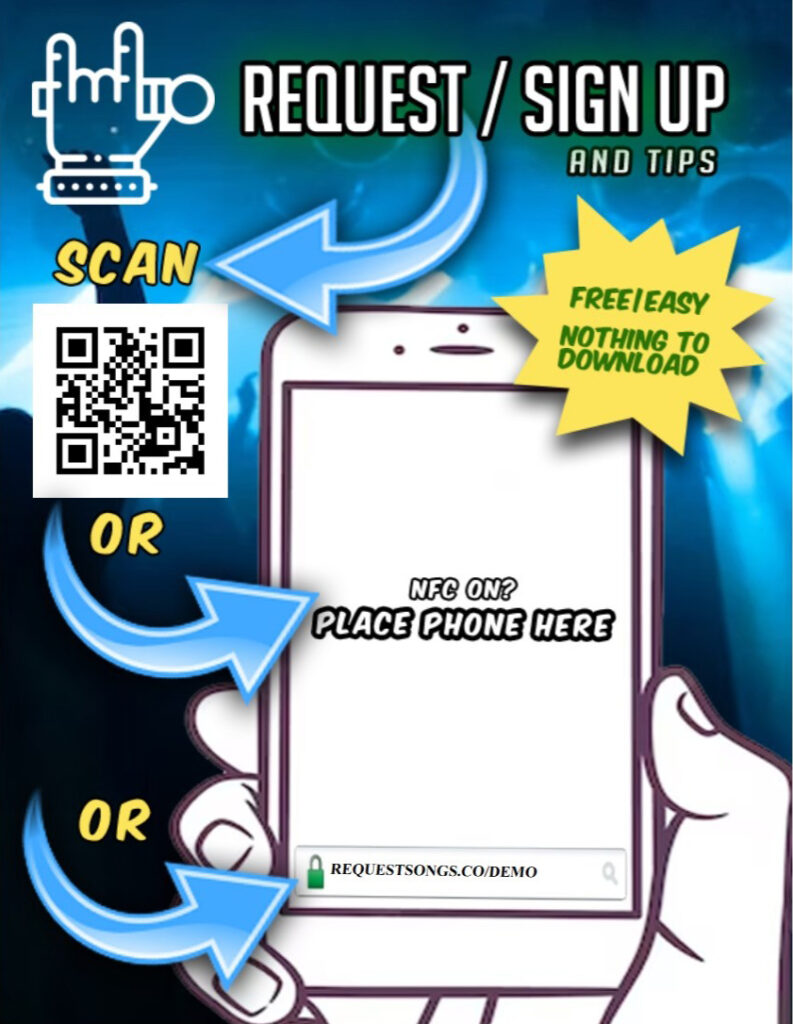
The easiest way to let guests request songs is by using a QR code song request system.

Instead of downloading an app or waiting in line, guests simply scan a code and instantly access your request page. This removes friction and makes it more likely that people will participate.

  • No app download required
  • Works on any phone
  • Instant access to your request page
  • Reduces crowding at the DJ booth

Step-by-Step: Setting Up Song Requests

1. Create Your Request Page

Start by setting up your account and creating your custom request link using a song request app.

2. Generate a QR Code

Turn your request link into a QR code that guests can scan at your event.

3. Display It Everywhere

Show your QR code on screens, signs, or tables so guests can easily access it.

4. Manage Requests Live

Use your DJ dashboard to control the queue, prioritize songs, and keep your set running smoothly.

DJ vs Karaoke Setup

The way you handle requests depends on your setup:

For DJs

DJs typically use a request system to manage incoming songs while maintaining control over their set.

For Karaoke Hosts

Karaoke hosts benefit from a karaoke request app that collects singer names and keeps the rotation organized.

Both setups benefit from using a digital system instead of paper slips or verbal requests.

Make More Money with Song Requests

A modern request system doesn’t just improve workflow, it can also increase your earnings.

  • Tip-based song requests
  • Priority placement in the queue
  • Tip-only messages

These features allow guests to support you while improving their experience.

Start Taking Song Requests Tonight

Set up your request page, share your QR code, and let guests start interacting with your music instantly.

Choose a Plan Compare Apps
Tipping, Technology, and the Karaoke Crowd

Two karaoke hosts. Same night. Same area. Same type of bar.

And yet, completely different experiences.

This is something most hosts have seen. One show feels stressful and chaotic. The other feels smooth, fun, and the crowd just behaves better.

This is not about right or wrong. It is about understanding why the outcomes are so different and what small changes can improve your night.

Host 1: The Traditional Setup

This host runs a classic show:

  • Paper slips
  • A small tip jar
  • Strict rotation

It sounds fair, but the reality often looks like this:

  • Late signups expecting to jump in
  • Younger, heavy drinking crowds
  • Little to no tipping
  • More complaints, less appreciation

The host works hard, but the energy is often negative and unrewarding.

Host 2: A More Modern Approach

This host runs things differently:

The result is noticeably different:

  • People sign up earlier and stay longer
  • Crowds are more respectful
  • Tipping happens naturally
  • Guests spend more at the bar
  • The vibe is more positive overall

Why the Crowd Changes

When people can see the queue and understand how things work, they behave differently.

When requestors start tipping. People follow what others are doing.

And when the host has flexibility, it reduces tension and keeps the show moving smoothly.

Is Tipping Fair?

Some hosts believe everything should be strictly first come, first served. That is a valid approach.

But tipping is already normal in entertainment:

  • Jukeboxes prioritize paid songs
  • Theme parks sell faster access
  • Live entertainment is commonly tipped

In karaoke, tipping does not replace rotation. It simply adds flexibility.

Those who do not tip still get their turn. Those who do help support the show and may get a better experience.

Tips Solve Real Problems

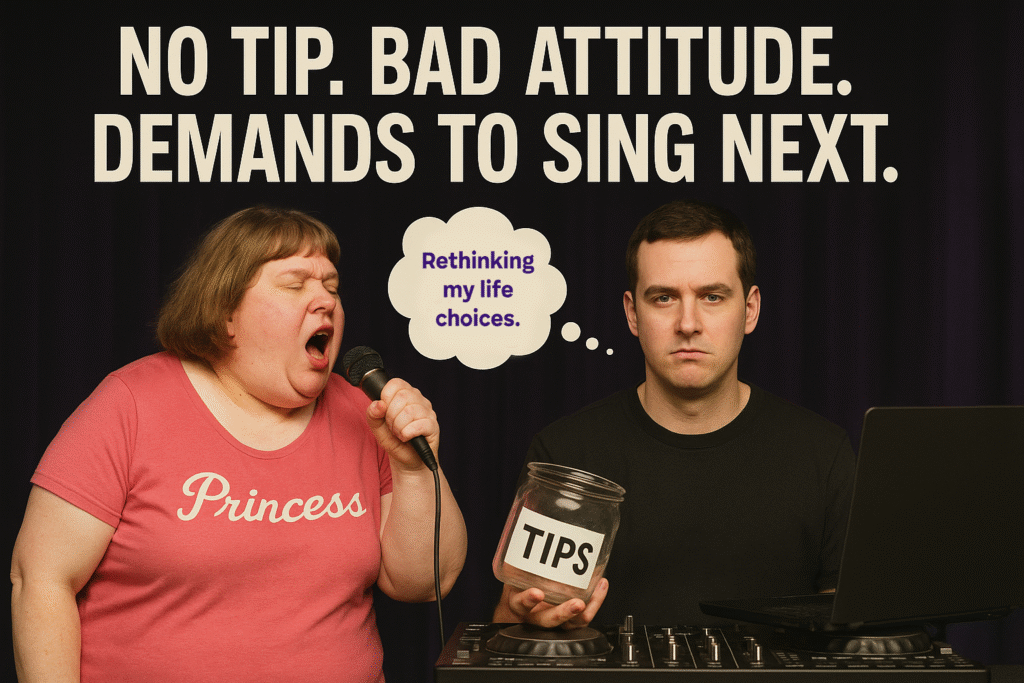
  • Last minute singers demanding to go next
  • Guests expecting special treatment
  • Long waits with no engagement

A simple response like “I already have tipped singers in the queue” changes expectations instantly.

Accountability Matters

One of the biggest advantages of using an app is having real data to back up what actually happened during a show.

There was a recent situation where a singer left a negative review claiming she was ignored, skipped, and treated poorly.

As you can imagine, the venue owners were not happy. From their perspective, it looked like the host had dropped the ball.

But instead of guessing or trying to defend himself from memory, the host pulled up the actual history from that night.

  • She was checked in properly
  • She did not wait very long
  • She actually sang more times than most people that night

That completely changed the conversation.

What started as a complaint against the host turned into a clear example of how perception and reality can be very different.

The owners were able to respond confidently, knowing the full story, and the host was protected by facts instead of opinions.

People will always complain. That part never goes away.

But having real data means you are not relying on memory, emotions, or whoever speaks the loudest. You have proof.

Why Venues Are Paying Attention

  • Better behaved crowds
  • Longer stays
  • Higher bar sales
  • Built in promotion
  • Clear history and accountability

Some venues are now hiring hosts specifically because they offer this type of experience.

Final Thought

There is no single right way to run a karaoke show.

But your setup directly affects your crowd.

If you are dealing with low tips, difficult guests, or constant complaints, it might be worth trying something different.

Even small changes can completely change the night.

Sometimes it is not the crowd that needs to change. It is the system.

DJ Request QR Code: Simplify Song Requests with RequestSongs.co

Boost your events with a DJ request QR code from RequestSongs.co. Guests scan to request songs, tip, or engage without apps or signups. Discover how to streamline your DJ events and rank higher in guest satisfaction.

Create Your DJ Request QR Code

What is a DJ Request QR Code?

A DJ request QR code from RequestSongs.co allows event guests to scan a code with their smartphones to submit song requests, karaoke picks, or tips instantly. No apps or signups are needed—just a seamless web-based experience. Compatible with DJ software like VirtualDJ, Serato, and music platforms like Spotify or Deezer, RequestSongs.co makes managing requests effortless.

Unlike traditional methods, a DJ request QR code reduces interruptions, letting DJs focus on the music while guests enjoy a modern, interactive way to engage. From weddings to parties, this tool enhances events and boosts tips with payment options like Apple Pay and Google Pay.

Guest scanning a DJ request QR code at an event

Why Use a DJ Request QR Code with RequestSongs.co?

Optimize your events with the power of a DJ request QR code. Here’s why RequestSongs.co is the top choice for DJs and event hosts.

Enhanced Guest Interaction

Guests scan the DJ request QR code to request songs or karaoke tracks, creating a fun, engaging experience without crowding the DJ booth.

Increase Tips Easily

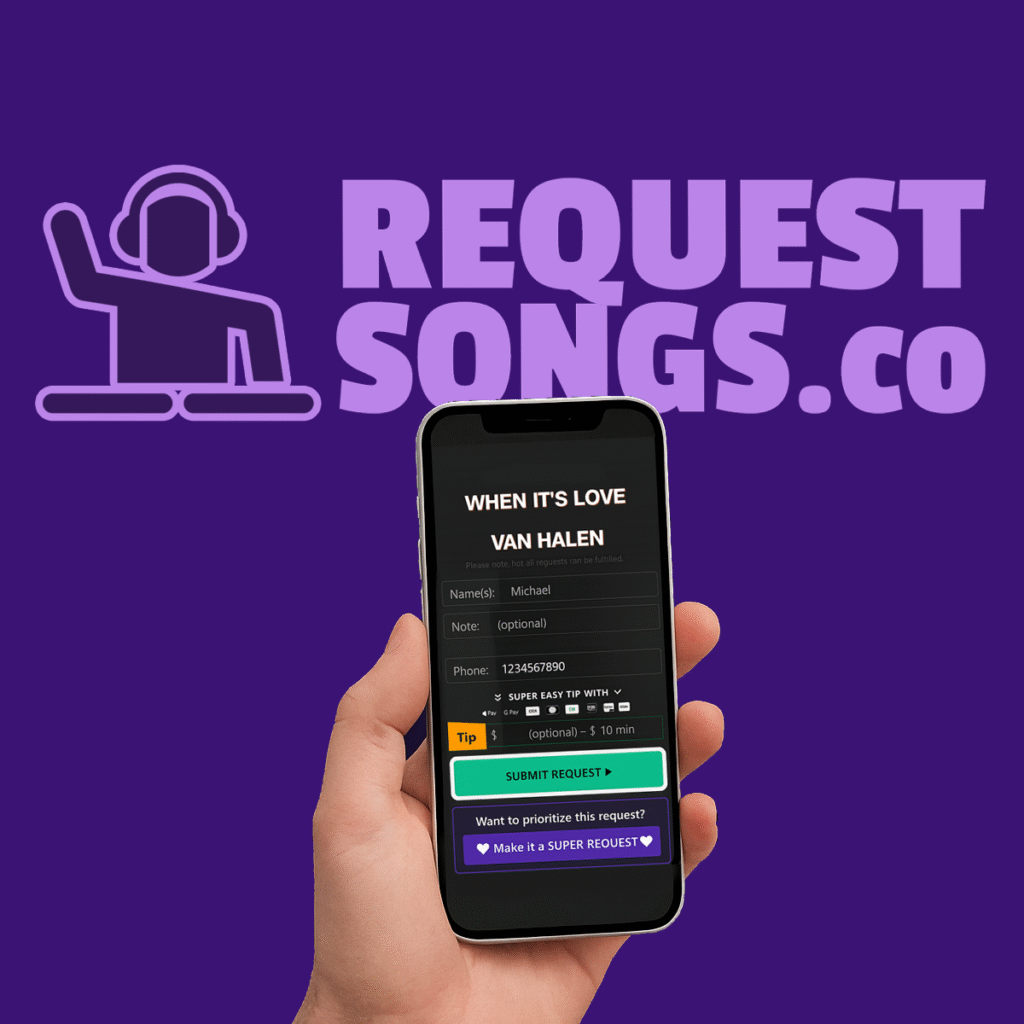
With RequestSongs.co, guests can tip via Apple Pay, Google Pay, or credit cards directly through the QR code, with low fees and instant deposits.

Seamless DJ Software Integration

Upload song lists from Spotify, Deezer, or DJ tools like VirtualDJ. Optional plugins auto-load requests for a smoother workflow.

No App Hassle

The web-based DJ request QR code works on any device, leveraging built-in QR and NFC support for instant access.

Real-Time Guest Alerts

Guests get text notifications when their song is queued, and a queue scroller displays requests on TVs for transparency.

Quick Setup, No Costs

Create your DJ request QR code with RequestSongs.co’s drag-and-drop editor. No upfront fees, just transaction-based pricing.

How to Use a DJ Request QR Code with RequestSongs.co

Setting up a DJ request QR code is simple and fast. Follow these steps to enhance your events.

Upload Your Song List

Import songs from CSV, DJ software, or platforms like Spotify and Deezer.

Generate Your QR Code

Create a custom DJ request QR code for your event with RequestSongs.co.

Manage Song Requests

View and play requests in real-time, with optional auto-loading into DJ software.

Collect Tips Instantly

Guests tip via the QR code, and you track earnings in your RequestSongs.co dashboard.

Why RequestSongs.co is the Best Choice for DJ Request QR Codes

RequestSongs.co stands out as the premier platform for DJ request QR codes. With features like real-time request management, tip collection, and seamless integration with DJ software, it’s designed to make your events unforgettable. Whether you’re a DJ, karaoke host, or live performer, our QR code solution ensures guests stay engaged while you focus on delivering an epic performance.

Ready to rank higher in event success? Try RequestSongs.co’s DJ request QR code today and see the difference.

Elevate Your Events with a DJ Request QR Code

Join thousands of DJs using RequestSongs.co to streamline song requests and boost tips. Create your DJ request QR code now and make your next event a hit.

A DJ Tip App That Respects the Crowd and the DJ

Tipping Opinions? Everyone Has One — And That’s Okay

Let’s be honest — tipping DJs is a hot topic. Some love it. Some don’t. But that’s the beauty of our DJ tip app: the choice is yours. Tipping is not a bribe, not exploitation, and not a guilt trip — it’s appreciation. And if you don’t want to tip? That’s totally fine too.

RequestSongs.co lets everyone participate in the way that feels right for them. DJs stay in control, and guests always have the option — never the pressure.

What Makes Our DJ Tip App Different?

RequestSongs.co is the DJ tip app that keeps things fair. On our free plan, DJs can accept tips — but they can’t turn tipping off entirely. Want full control? Our paid plans allow DJs to disable tips if they choose. We give DJs flexibility and fans a respectful experience.

Why Do People Tip DJs?

  • It shows appreciation – Just like tipping a server, it’s a way to say “thanks” for a great vibe.
  • It may help your request get played sooner – Some DJs choose to prioritize tipped requests, but it’s entirely up to them.
  • It supports local talent – Many DJs earn flat rates from venues. Tips help close the gap.

Free vs Paid Plans

On the free plan, DJs can accept tips and use all request features — but tipping can’t be turned off. This helps support platform costs and DJs alike. With our paid plans, DJs unlock the ability to turn off tipping completely or make it optional only for special requests like Super Requests.

A Quick Note Before We Begin...

This post is meant to be fun and helpful. If you’ve ever hosted karaoke, you know there’s always that one guest who pushes the limits a bit — and sometimes it’s even us! We’re not calling anyone out. We’re just offering a few smart tools to make your night smoother, fairer, and more enjoyable for everyone. ❤️🎤

What Do We Mean by 'Diva'?

Every DJ or KJ has experienced it: the guest who demands to be next, insists they didn’t hear their name, or tries to submit 10 requests in a row. Whether they’re a karaoke queen or a pushy partygoer, these high-maintenance guests — aka “divas” — can quickly throw off your flow if you’re not prepared.

Thankfully, RequestSongs.co is packed with smart features that help you keep things fair, friendly, and drama-free — without needing to micromanage every request.

Set Queue Limits Automatically

Don’t want someone flooding the list? You don’t have to say no — just let our request limits do the talking.

RequestSongs.co lets you limit how many requests each user can submit. Once they reach their max, they’ll see a friendly message asking them to wait — or tip — to jump ahead. No confrontation needed. You set the rules once, and the system enforces them for you.

Show the Queue Publicly

Transparency = fewer complaints.
Use our real-time scrolling display to show the public queue on any screen or monitor. Everyone can see who’s coming up next — and that you’re not playing favorites. If someone’s waiting, they’ll know exactly where they stand.

Text Notifications When It’s Their Turn

“I didn’t hear my name!” is no longer a valid excuse.
RequestSongs.co can send a text alert when it’s someone’s turn to sing — all they have to do is enter their phone number when submitting a request. No shouting. No missed turns. Just smooth flow.

Track Every Requestor’s History

When someone complains they’ve “been skipped” or “never get called,” you’ll have the receipts.

Our request history tools let you see each requestor’s past performances — including:
– What they sang
– How long they waited
– How much they tipped
– Their request timestamps
You can pull this data by name, phone number, or date range. It’s like having a bouncer, a bookkeeper, and a therapist all in one.

Stay in Control Without the Conflict

Managing divas doesn’t have to ruin the night. With built-in queue limits, public transparency, text alerts, and detailed requestor history, RequestSongs.co gives you the tools to run a fair and fun event — no drama required.

learn more - start for free - instant activation

What Is a Theme Night?

Theme nights are a powerful way to energize your audience and stand out from other DJs and KJs. Whether it’s an 80s dance party or a 2000s pop karaoke night, giving your event a theme helps guide the crowd’s expectations and gets them excited to participate.
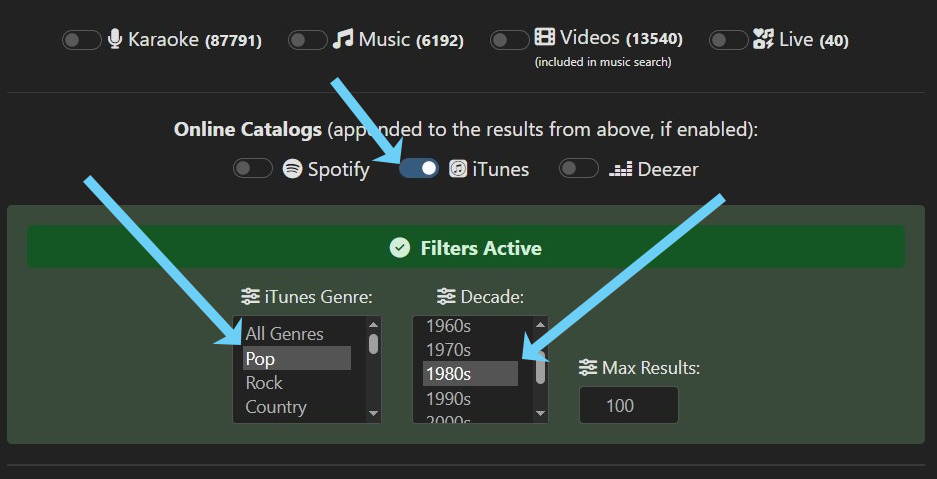
RequestSongs.co makes this easy by allowing you to limit song requests to a specific genre and decade — directly from your online request catalog.

Pick a Theme You Can Filter

Choose a theme that fits a specific genre or decade. For example:
– 1980s Pop Karaoke
– 90s Rock Night
– 2000s Club Throwback
– Country Night (any decade)
These themes work great with our filter system and help keep the vibe consistent all night long.

Apply Your Filters

Inside your RequestSongs.co dashboard, switch your catalog to the iTunes option. You can then:
– Choose a genre like Pop, Rock, Country, or Hip-Hop
– Limit songs to a specific decade, like the 80s or 2000s
This ensures that only theme-appropriate songs are shown to guests when they search your request page.

Share Your Request Page

Once your filters are set, share your request link with guests. This can be added to your display screen, printed flyers, or a QR code.
For example: https://requestsongs.co/yourdjname — now pre-filtered to only show 90s Rock hits!

Display the Queue

With RequestSongs.co, you can also display the current queue and upcoming singers — all in your theme’s style. This keeps the experience fun and focused for everyone attending.

Run Your Next Theme Night Like a Pro

With real-time genre and decade filtering, your themed events will feel professional and smooth from start to finish.

learn more - start for free - instant activation